Campus wireless network redesign
Replaced a flat, unsegmented wireless network at a CPA review centre with a VLAN-segmented one behind a firewall, with RADIUS-backed captive-portal authentication and centrally managed access points.
- VLAN segmentation
- RADIUS
- DHCP
- Firewall policy
- ACLs
- Captive portal
- Wireless site survey
The problem
The client is a CPA review centre in Metro Manila with about 5,000 enrolled students. Most of them study online, but roughly 500 come in for hybrid classes, and during peak hours each of the two study hubs has more than a hundred devices on the wireless at once. Almost everything they do depends on that connection — recorded lectures, digital modules, online mock exams.
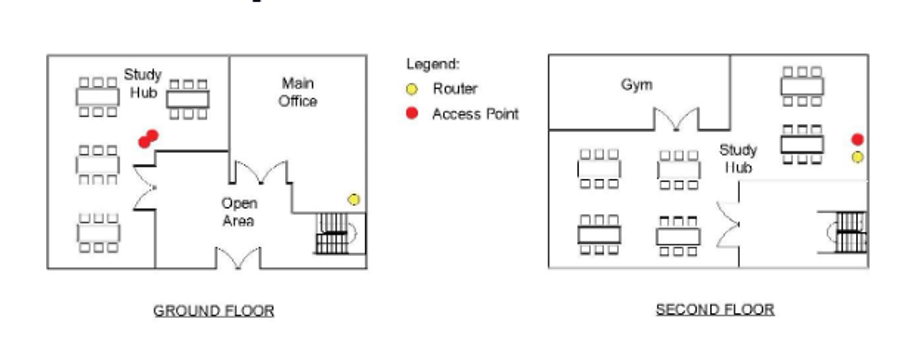
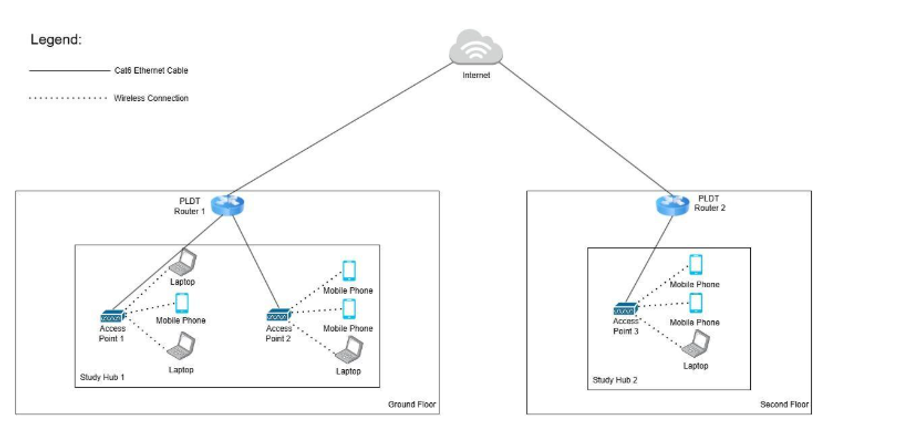
When we surveyed what was already there, the short version was that the network had grown rather than been designed. Everything sat in one flat broadcast domain with no separation between students, staff and guests. The gear was consumer-grade routers from two separate broadband subscriptions, one per floor, with access points spread unevenly enough that parts of the study hubs were noticeably worse than others. There was no firewall.
The security side was the part that bothered me most. With no segmentation, no access control rules and no filtering, a student device sat in the same broadcast domain as the admin machines. We ran a basic port scan from a laptop on the student Wi-Fi and it came back with active services and devices that a student has no business being able to see. Nothing exotic — that is sort of the point. It took no skill at all.
What we built
The design keeps the two broadband lines — they were already paid for, and two lines into one gateway is cheap redundancy — but everything behind them changed. Both now terminate on a single firewall router, which became the one place where routing and policy live. From there, a managed switch carries the VLANs to a wireless controller, a small server, and four access points, two per floor.
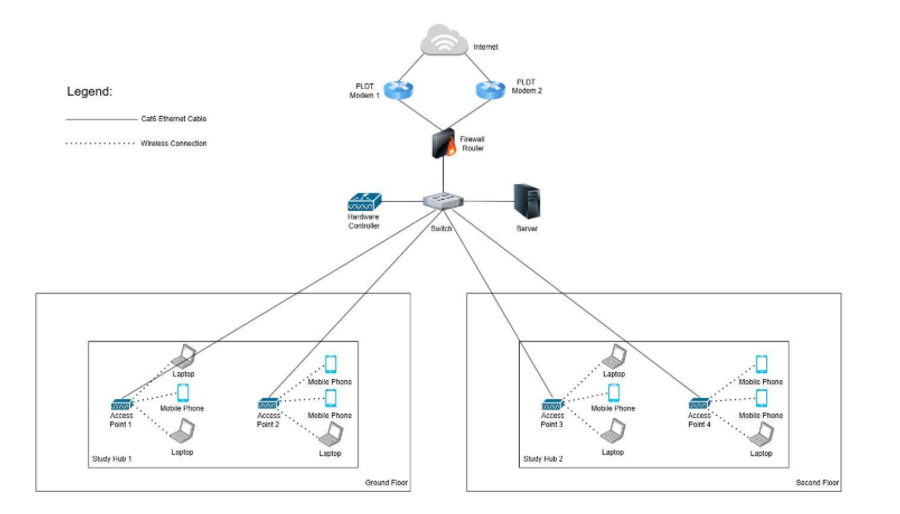
Traffic is split into four VLANs — students, lecturers, admin, and guests — with ACLs on the firewall deciding what may talk to what. The default is that they may not. The server runs RADIUS and DHCP together: RADIUS backs a captive portal on the wireless controller so people authenticate as themselves instead of sharing a password, and DHCP hands out addresses in the right range for whichever VLAN the device landed on.
The controller is the piece that makes this maintainable by someone who is not us. All four access points are configured and monitored from one place, so adding an access point or changing an SSID is not four separate logins and a hope that they match.
Every link between infrastructure devices is wired. Only end-user devices are wireless. That sounds obvious written down, but the old setup had access points daisy-chained in a way that put user traffic through another radio hop for no reason.
Decisions worth defending
- VLANs by role, not by floor
- Splitting by floor is the tempting one because it matches the cabling. But the thing you actually want to contain is a student device reaching an admin machine, and those two are on the same floor. Segmenting by who somebody is means the rule survives someone moving desks.
- RADIUS and a captive portal, not a shared passphrase
- A shared Wi-Fi password at a school with 5,000 students is a password everyone has and nobody can revoke. With per-user authentication, a leaver stops working without changing anything for anyone else, and the logs say which account did what rather than which radio it came from.
- One firewall in front of both lines
- Two lines into two separate consumer routers meant two separate sets of rules, which in practice meant no rules. Putting both behind one gateway means policy is written once. It also makes a real second ISP a configuration change later rather than a redesign.
- Around 30% spare capacity, on purpose
- We sized for more devices than the hubs hold today. A network built to exactly today's peak is already failing next term, and headroom is far cheaper to buy at install time than to retrofit once the client has decided the network is unreliable.
- Access points placed from a survey, not from the ceiling grid
- The old positions looked tidy on a floor plan and left dead spots in the corners of both hubs. We moved them based on where the seats actually are.
What broke
Three of our tests failed the first time, and I would rather write them down than pretend the thing went in clean.
- Guest isolation was not actually isolated
- This is the one that stung, because it was the whole point of having a guest VLAN. The guest network could still reach some internal resources — the ACLs blocked the obvious paths and missed others. It needed the rules rewritten as deny-by-default with explicit allows, rather than a list of things to block, which is a list you will always finish too early.
- Bandwidth dropped unevenly under load
- During the first efficiency test some devices held their speed and others fell off badly. The load-balancing between the two lines was not distributing the way we assumed, and there was no QoS to protect anything. Adjusting the balancing and adding QoS fixed the symptom; the lesson was that "we have two lines" is not the same as "we are using two lines".
- Idle devices never got disconnected
- The auto-disconnect for inactive sessions simply did not fire, because the timeout was set on the wrong side of the authentication path. A quiet failure — nothing errored, sessions just accumulated. It only showed up because we tested for it specifically.
Outcome
- Four role-based VLANs deployed, with inter-VLAN traffic blocked by default and verified by testing from each segment rather than by reading the config back.
- Consumer routers replaced by a firewall router, a managed switch, a wireless controller, a RADIUS and DHCP server, and four access points across the two study hubs.
- Coverage measured by heatmap after the move, with stable signal across more than 90% of the seating area and no dead corners left in either hub.
- Load testing held above 70 Mbps with an extra 10–20 devices attached, which is the ~30% headroom the design was sized for.
- Captive-portal authentication and DHCP both stable in testing, with addresses issued in about five seconds and no conflicts.
- All access points managed from a single controller, so the client can run it without us.
What I would do next
The handover document listed these as recommendations. The ones I would push hardest for:
- A second ISP, not just a second line. Both existing lines come from the same provider and can share the same physical infrastructure down the street — one damaged pole takes out both. The gateway already supports dual-WAN from different providers.
- Encrypt the stored credentials. Authentication and controller credentials sit in config and backups. If a backup walks, so does everything.
- Spare hardware on the shelf. A backup switch and access point turn a dead device from a closed study hub into an afternoon.
- Model changes before applying them. Simulating the topology means the next team can test a firewall rule without driving to the site and without taking the network down to find out they were wrong.
Evidence
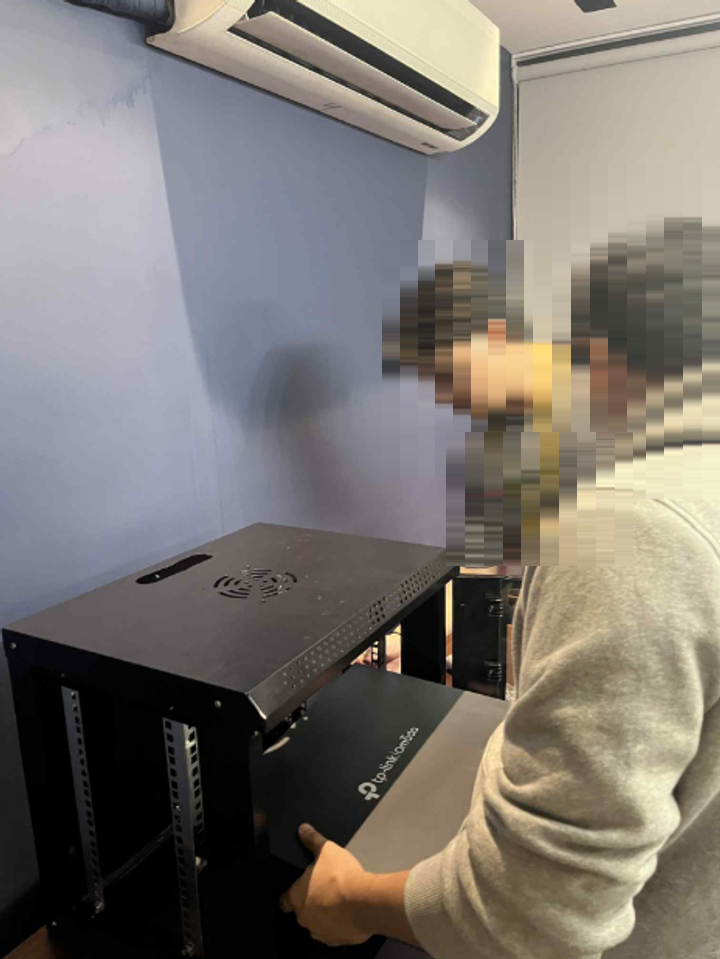
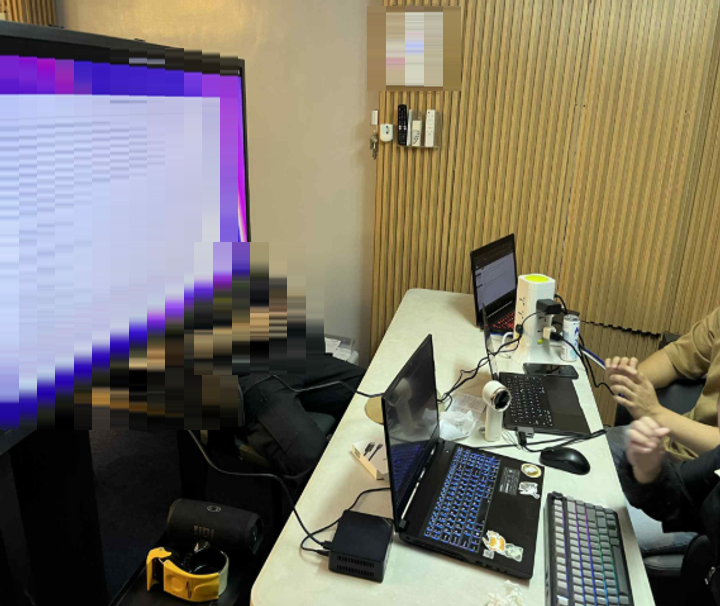
Faces, printed signage and the contents of the screen are masked. The people in these photos agreed to be in a school submission, which is not the same as agreeing to be on a public site, and the screen was showing a live server config.